Monday, February 25, 2013

How to publish all customization in CRM 2011 using .NET C#

I am developing a tool that creates attributes on runtime and I need to publish all the customization’s and for this purpose I am just exploring SDK and found this message request
"PublishAllXmlRequest" which is used to publish all customization in CRM 2011 here is the complete syntax I hope it help’s some one
J

PublishAllXmlRequest publishReq= new PublishAllXmlRequest();

service.Execute(publishReq);

Note: Make sure you have added a namespace Microsoft.Crm.Sdk.Messages;

Thanks

Case Study: Implementing MS Dynamics CRM 2011 for a Newsgroup


Case study (Newspaper group)
The purpose to write the blog is to tell the people that how Dynamics CRM improve the performance of a newspaper group. Recently I have an experience of working with a Multilanguage newspaper group based in UK. They care about their customers and they are much interested in implementing contract base system which uses very complex business roles and it has 10+ offices in different part of the world and has a lot of agents in all over the world.
Business needs
They have already running a system which is a custom desktop application it has a central database which is linked with all offices. But the application is start causing issues and is really difficult to upgrade or integrate with any system. The application does not support direct marketing list functionality and the main feature of marketing. The client is much interested in reliable fast and accurate system which must be less expansive and they must have good control on it.

Solution:
After consulting we decided to go for Dynamics CRM for Marketing and contract management and for financial management we decided to use Dynamics NAV. Dynamics CRM has a great feature of Marketing and contract system as a built in functionality. They need to store all the data in CRM and also wants old data in new system. And using the NAV contactor we can connect both CRM and NAV. Even If they want to implement other dynamics products it’s easy for them because Dynamics gives adaptor functionality for all the dynamics products.

Benefits for using Dynamics CRM
1. Dashboard
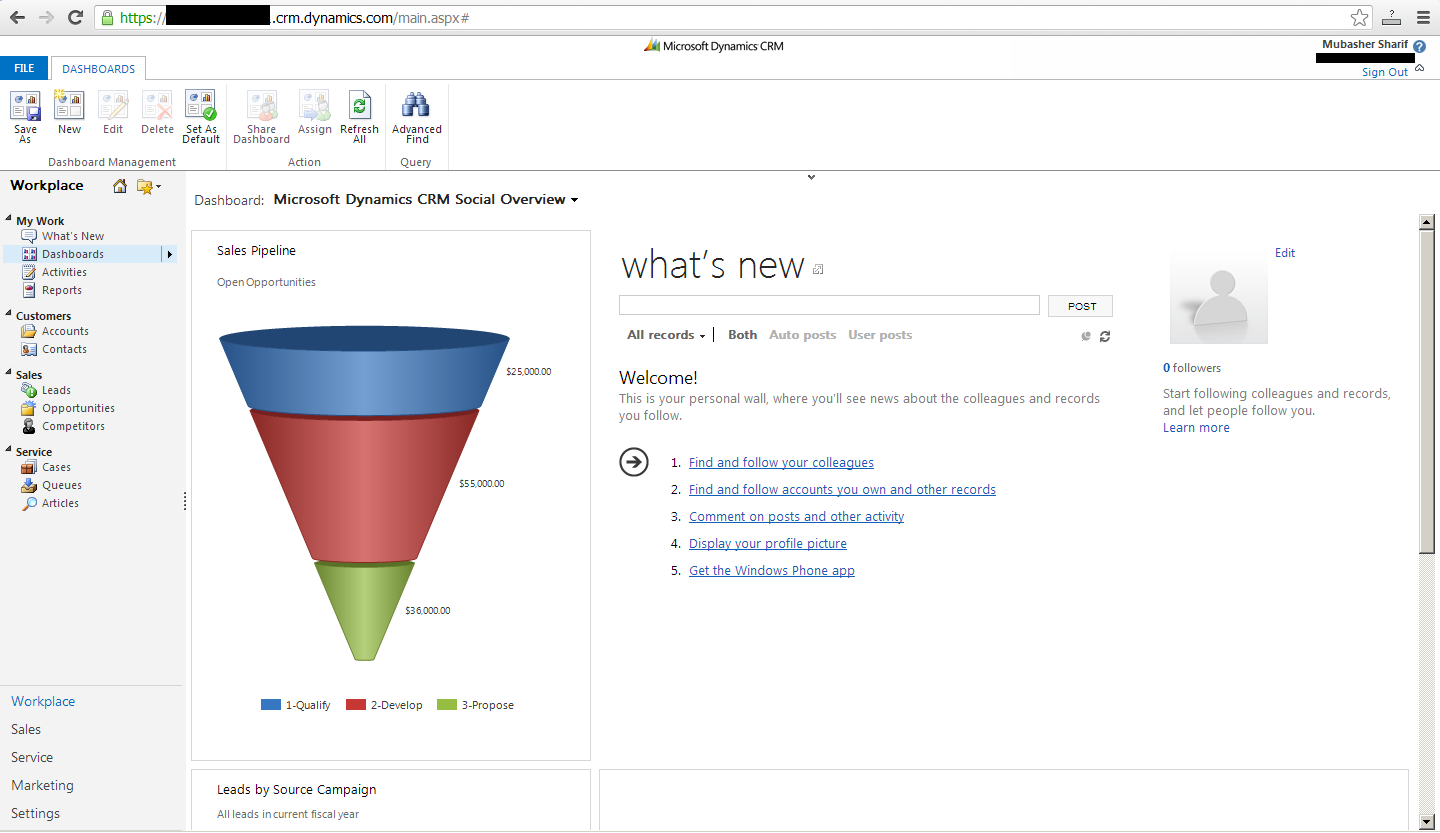
CRM Dashboards allow us to drilldown to the data due to this functionality a business can take more efficient and quick to respond to issues and new opportunities.
Executives can take decisions from dashboard visibility for example if any country has less revenue generated with comparison to the last month the executives will try to find the cause and focus on that country before anything goes in loss.

2. Contract management
After implementing dynamics CRM they can easily manage contracts and have better control on Marketing and pricing.
3. Expands the Agents

In newspaper group agents are great resource of profit. Using accounts and partner portal functionality we can increase agents as much as the newspaper industry can. And using contract management system we can distribute there commission easily. 4. Ad Management
We can use Product as Ad it’s easy for group to manage with contracts.
5. Availability of old data in new systemUsing import feature of Dynamics CRM we can easily migrate data to CRM from any old system.
6. ReportingReporting is really easy in CRM anyone who has a little knowledge about CRM can easily develop reports.
7. Easy to useDynamics CRM has office type UI so if any one who is familiar with office can easily and quickly learn CRM.


This is an open blog any one can share his/her idea's in comments and they are highly appreciated.

Thanks :)


Wednesday, January 30, 2013

Understanding and Development of Custom Workflow Activities in Microsoft Dynamics CRM


As we all know with the release of rollup 12 we can develop custom workflow activity for CRM 2011 online too. We can develop custom workflow for CRM online here are the steps to develop custom workflow activity for CRM 2011 online using visual studio 2012 although there is no difference between developing workflow activity in VS 2010 and VS 2012 but due to great feature of VS 2012 i decided to make the workflow activity in VS 2012.

Prerequisites:
1. Latest SDK (Download Latest SDK)
2. CRM 2011 must have rollup 12 (By default all online CRM has been update to rollup 12)


Step 1: Create a new CRM Packedge in Visual Studio give any name

Step 2: After you select your project type you will saw a popup box asking for your credtionals fill the form and click ok


Step 3: Add a new CRM 2011 workflow liberary in CRM Packedge solution

Step 4: Right click on CRM 2011 workflow library and click on properties and go to Signin tab

Step 5: From chosse a signing name key file optionset select new the below window will opens give any name and uncheck the checkbox click ok and save your project


Step 6:
After signing your workflow add a new workflow activity class click on your workflow activity -> right click-> add new item


Step 7:
Select workflow activity class as your new item after giving name click ok

Step 8:After you select workflow activity class CRM asks you for below information fill the information and all the information is required

Step 9: Implement your custom business logic

Step 10:  After completing your implementation right click on RegisterFile.crmregister and change IsolationMode to Sandbox


Step 11: Go to Build -> Deploy from visual studio 2012 main menu.
Step 12: After deployment complete you can see your custom workflow activity in your steps


Note: The error that i found while developing custom workflow activity is
1. "Error registering plugins and/or workflows. Description name must be specified Parameter name: description"  if i skip step 8 i got the above error so make sure your have filled all the fields that is in the form.
2. Error registering plugins and/or workflows. Action failed for assembly 'CrmPackageOnline.WorkflowOnline, Version=1.0.0.0, Culture=neutral, PublicKeyToken=f24fa33afcfbc3ec': Assembly must be registered in isolation.    C:\Program Files (x86)\MSBuild\Microsoft\CRM\Microsoft.CrmDeveloperTools.12.targets    176    4    CrmPackageOnline
if you skip step 10
Resolution change the RegisterFile.crmregister xml and IsolationMode to Sandbox


Tuesday, January 22, 2013

Using ExecuteMultipleRequest with CRM 2011

ExecuteMultipleRequest METHOD IN ACTION

As we all know CRM 2011 rollup 12 has lunched a new ExecuteMultipleRequest method.
Today i am just exploring this great feature and develop a code snippets and wants to share with you.
Note: Make sure you have latest SDK of CRM 2011

            var service = new XrmServiceContext("Xrm");
            OrganizationRequestCollection collection = new OrganizationRequestCollection();
            for (int i = 0; i <= 5000; i++)
            {
                CreateRequest createRequest = new CreateRequest // create a request and add the request in collection
                {
                    Target = GetEntityRecord()    // this method could returns any entity i.e account, contact etc you could implement your own logic to get the target entity
                };
                collection.Add(createRequest);
            }

            ExecuteMultipleRequest excuteMultipleRequest = new ExecuteMultipleRequest // Create ExecuteMultipleRequest object with the above collection
            {
                Requests = collection,
                Settings = new ExecuteMultipleSettings
                {
                    ContinueOnError = false,
                    ReturnResponses = true
                }
            };
            ExecuteMultipleResponse executeMultipleResponse = (ExecuteMultipleResponse)service.Execute(excuteMultipleRequest); //Execute the request
            var results = executeMultipleResponse.Results; //Request result


I hope it helps some one.

What's New in Microsoft Dynamics CRM Rollup 12 for Developers

1. Extended Browser Support

As we all know now CRM supports multiple browser support (Yahoo!) now we have to write the code differently as we have to stay near to Xrm.Page object and do supported customization we don’t need any changing to support other browsers.

View of CRM in Google chrome

Fig. 1

Note: If you want to check the browser compatibility mode you can use the custom code validation tool Download custom code validation.

2. New feature in Activity Feeds

CRM introduces new Social media functionality of like/unlike.

 Fig. 2

3. New UI for Sales and Customer Service and Product Update Functionality

New user experiences has been added for Opportunity , Lead and Case.

Fig. 3

4. Custom Workflow Activities for Microsoft Dynamics CRM Online

Now we can register custom workflow activities with CRM online too

Note: If you want to create workflow activity please check this link Create and deploy workflow activity using Developer toolkit

5. Developer Toolkit Support for Microsoft Visual Studio 2012

With rollup 12 Microsoft has also lunched The Developer Toolkit for Microsoft Dynamics CRM 2011 and Microsoft Dynamics CRM Online that supports Microsoft Visual Studio 2012. The installer can be found in the SDK download in the sdk\tools\developertoolkit\ folder.
Download CRM Toolkit

6. Bulk Data Load

If you want to Load bulk data in CRM now you can use ExecuteMultipleRequest message.

For more details please check following link
New features for developers in rollup 12


Wednesday, January 16, 2013

MS Dynamics CRM vs Salesforce - 5 Deciding Factors


In my last project my client asks me to give him some suggestion to choose the CRM product between Microsoft Dynamics CRM and Salesforce. And depending upon the below criteria I told him why to go for Dynamics CRM.

Here is a comparison of two major CRM products

1. In Microsoft Dynamics CRM we have a lot of options to integrate it with any other application and also office 365 makes it really easy to manage all the things on one place. And in Salesforce we have limited integration capabilities.

2. You could use any deployment option for Microsoft CRM (on-premise, Saas, on-premise hosted, or hybrid) depending upon your business requirement for example if you have resources to manage deployment on server you could go for on-premise version otherwise you have an option of online but in Salesforce you have only one option which is SaaS

3. Overall cost of Dynamics CRM is cost effective you could go for on-premise or online but for salesforce its twice than Microsoft Dynamics CRM online edition and if you need to do more customization you have to go for enterprise edition which is very costly and you have to learn a new language called Apex to add any new feature in it.

4. We could configure almost everything in Dynamics CRM like workflows, role-base views, filed level security its SDK is very powerful we could integrate any application with the help of web services. But Salesforce is not highly configurable.

5. CRM 2013 or CRM 2011 (rollup 12) has built in Yammer, Skype and Bing Maps integration. And upcoming rollup also has cross browser capabilities.

Depending upon the above criteria I suggest my client to go for Dynamics CRM because it is cost effective and if he wants to automate the overall process and uses its custom feature. 

I hope it helps someone :)

Thursday, December 27, 2012

How to manage queues in CRM 2011


How to manage queues in CRM 2011


Microsoft CRM 2011 has a great option of queues and using queues we could assign any custom entity to queues. Not only custom entities but also built-in entities like lead activities cases etc.
In any organization if any user has to interact with multiple entities at the same time then we can use queue feature to organizing items more effectively.
For example in my last project we have to handle admission system. For this purpose we have used queues.
 
The process for application submission is as follow

1.   Any receptionist will receive the application and submit it to admission office for further process.

2. Receptionist receives a call from anywhere and his responsibility is to generate lead.
Receptionist gets interact with two entities.
1. Admission form 
2. Lead
 
If enrolled person get qualified admission department send him a letter and when student submit his fee admission department will enrolled the student.
In the above scenario multiple users has to work on a same entity.


Enabling Queues for Lead (Built-in Entities)


Check the Queues box. And if you want to automatically move records to the owner’s default queue when record is created check the other check box too.
Note: Once queues enabled we cannot reverse it status. 

Enabling Queues for Custom entities


As we discuss above we could unable queues for custom entities to.


Check the queues check box and save the entity now queues is enabled on employee entity.

Default Queues

Default queues are automatically generated for user’s teams and business units. All of these can also be used for managing user rights. Here is a list of default queues items
  1. Activity
  2. Appointment
  3. Campaign
  4. Activity
  5. Campaign response
  6. Case
  7. Email
  8. Fax
  9. Lead
  10. Letter
  11. Phone call
  12. Quick campaign
  13. Recurring appointment
  14. Service Activity
  15. Task
  16. User
  17. Team

Settings Views for Queues


We could set views for the queues to make our work easier.
Currently I want to see only leads that are assigned to me or I am the owner of the lead.

1. Go to Queues item and click on New.
 2. Give the Name of the view (Leads) I am working On
 2. Click on Edit Filter Criteria.
 3. Give your criteria as below
 4. Select your columns and click on Save and Close
 5. Now you can see the View (Leads) I am working On and all the leads that required some action.

 
Hope it will helps some one. :)